How
A protein floor, and a day built to clear it.
A composer bar and two icons. Tap Day Plan, snap a photo, or type what you ate — that's the whole surface. Settings and Trends live behind icons so they're there when you want them and out of the way when you don't. Underneath it, a personalized protein floor doing the real work.
Built around protein, because protein is the lever that protects muscle while you lose fat. Why that matters →
The floor
One number, and it holds still.
Your protein floor is the daily minimum that protects muscle while you lose fat.
It’s computed from three inputs and only three: your height, which sets the baseline; the approach you’re taking; and how often you train. Nothing else moves it — not the day you’re having, not what you ate yesterday.
It doesn’t move day to day, and that’s the point. A floor you can plan against is worth more than a target that shifts under you.
GLP-1 is neutral to it. Using one, considering one, or not, the floor is the same number — the medication changes the day around it, not the target.
Preferences
You start with everything. You narrow it.
Alongside starts from full variety and narrows to you. Three quick groups — dietary identity, allergens, and the proteins themselves — and the proteins are the ones it'll suggest meals from. Toggle off any you don't want and they drop out of every suggestion for good. Set it once; no daily upkeep.
That's the whole logic, inverted from the usual: you don't build a list from nothing, you trim a full one. Within whatever's left, Alongside works across real cuisines — Mexican, Italian, Korean, Mediterranean — so you get meals a person actually wants to make.
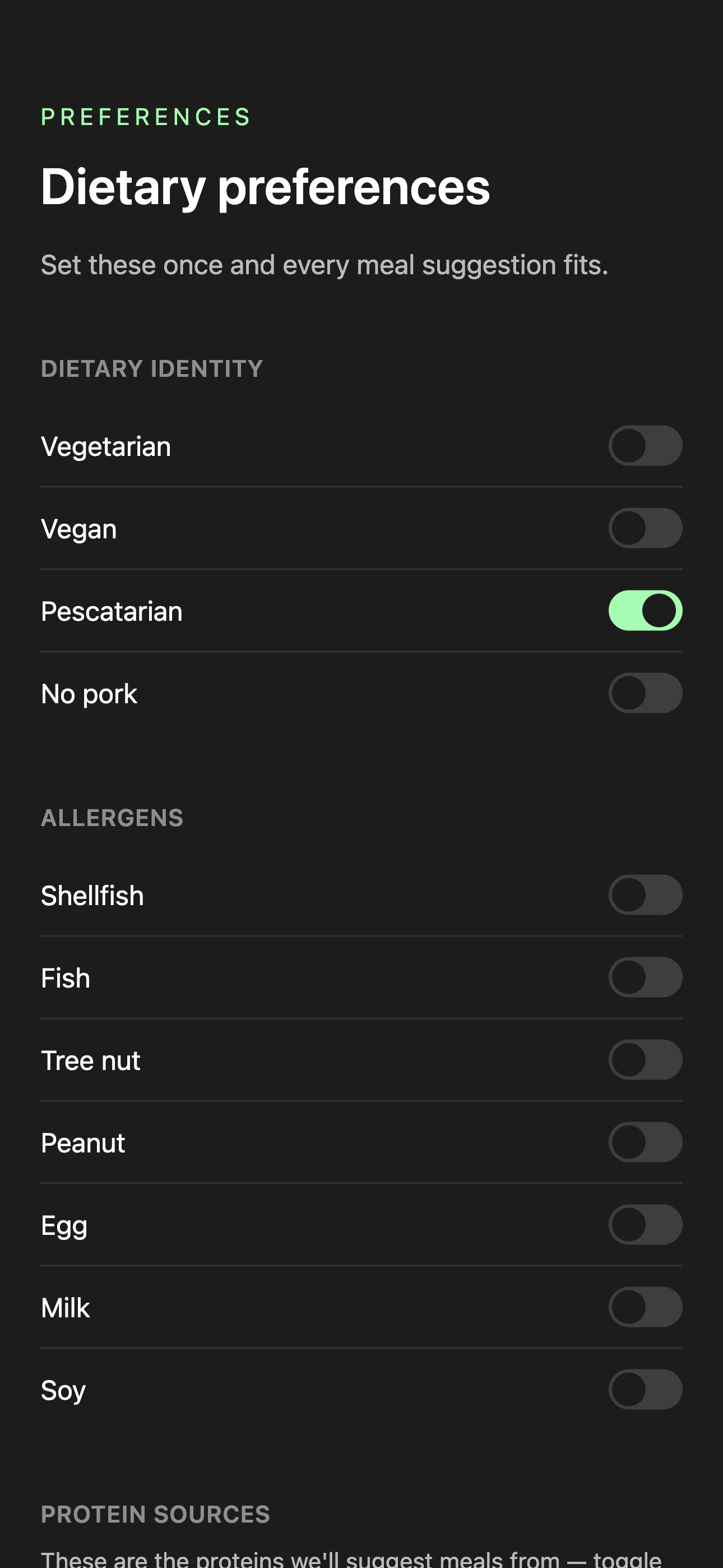
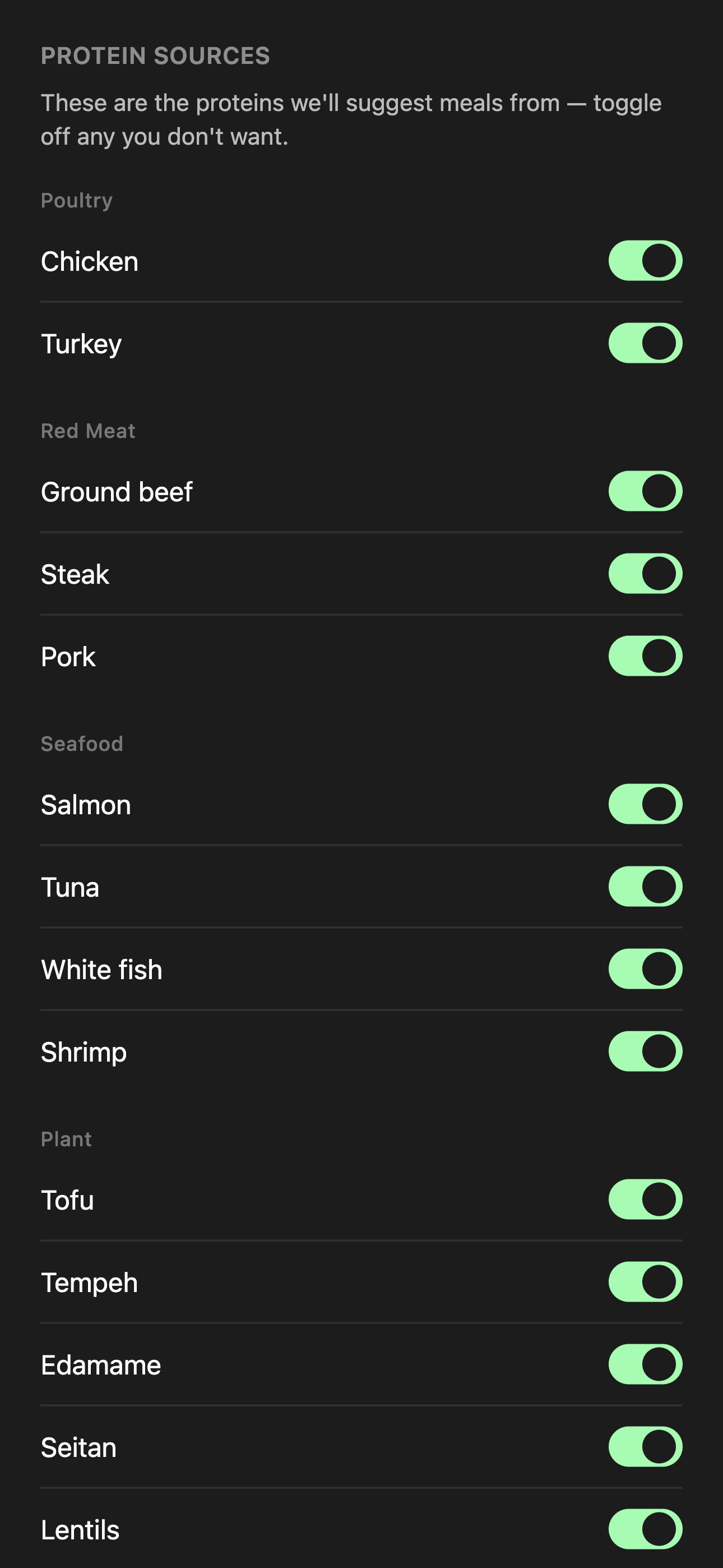
Preferences is the subtract half. The add half lives in Day Plan.
Day Plan
Your day, built around what's left.
Open Day Plan and it starts from what’s already true today — what you’ve eaten, when you last ate, and how many hours are left before bed.
The floor doesn’t move; the plan does. Your floor is the fixed number the day is measured against, and the plan is what recalibrates around it. Fewer hours left means fewer, larger meals to clear the same number — and if it can’t be cleared, it says so rather than pretending.
No progress ring. It tells you where you stand against your floor and hands you a couple of protein-anchored meals timed to the day — “You’re at 38g so far. 64g to your 102g floor. Here’s the rest of your day:” If you can't clear it today, it says so honestly and carries the rest to tomorrow.
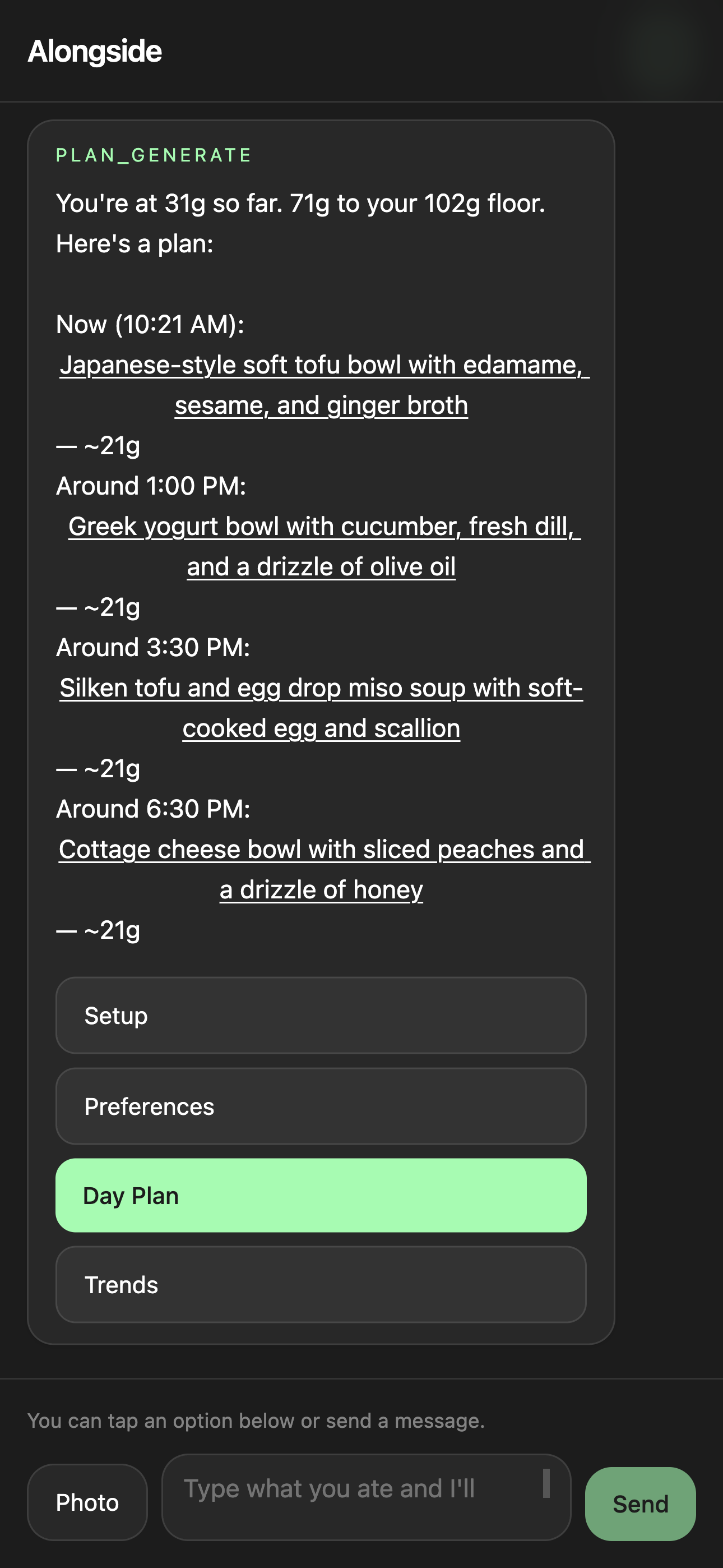
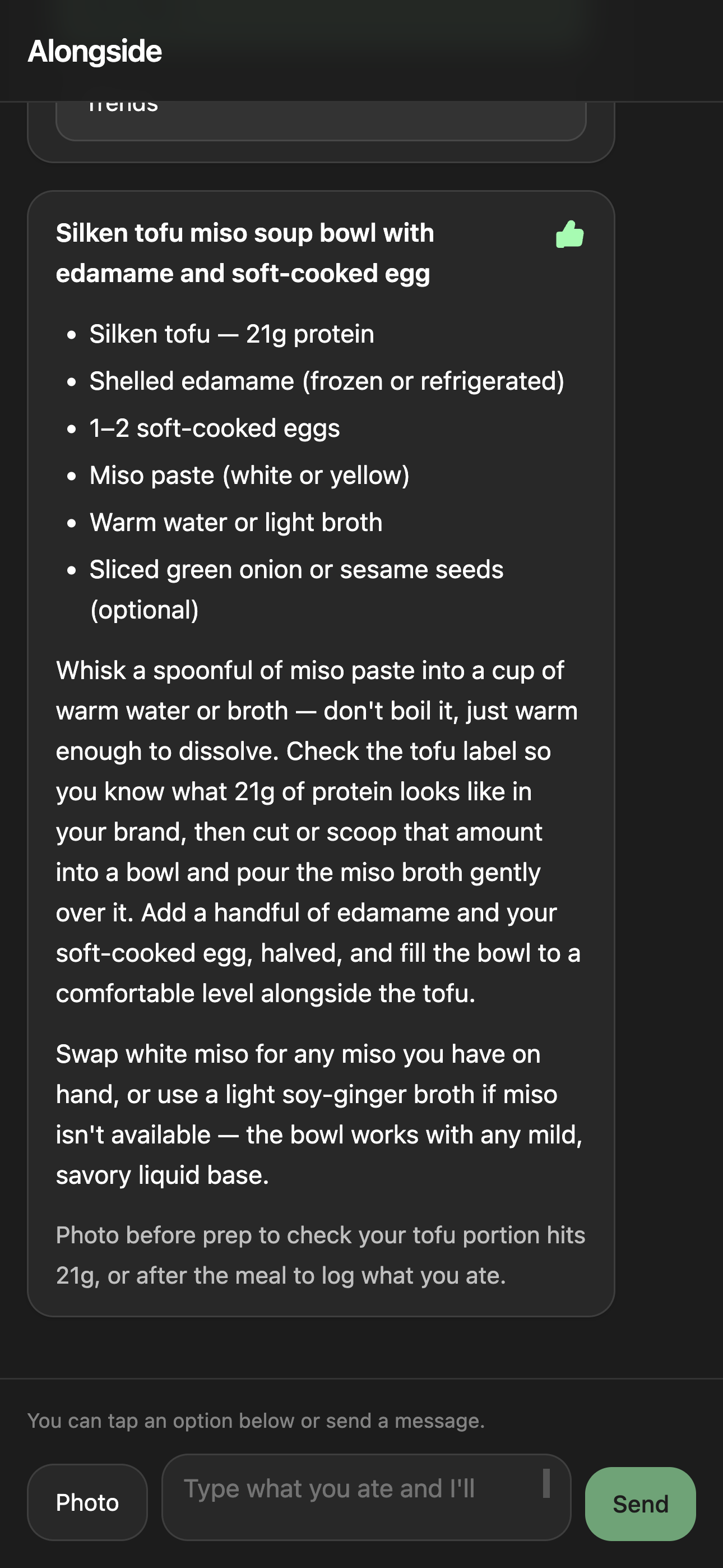
Tap any meal for Quick Prep — a recipe-light view with the protein call-out and just enough method to cook from, nothing more.
And the add half: tap the thumb on a meal you liked, and future plans lean toward that protein and cuisine. Preferences subtracts what you don't want; Likes adds more of what you do. It's a soft nudge — your floor and preferences always come first, and the plan keeps varying the actual dishes so you're never eating the same thing twice.
Logging
It's just there.
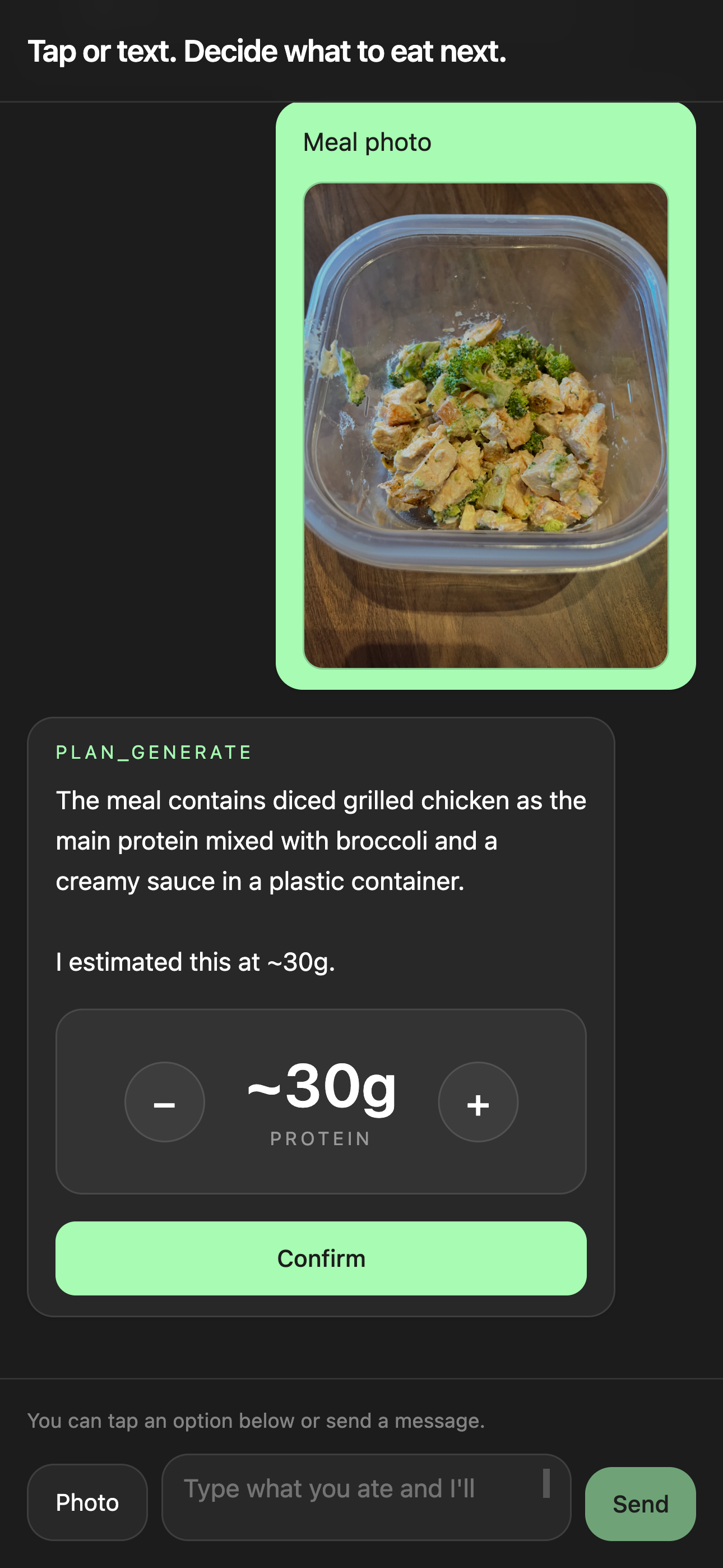
You never navigate to a logging screen. The composer sits at the bottom of every view. Snap your plate — or type a sentence, "two eggs and a piece of toast" — and Alongside reads the protein, lets you nudge the number, and logs it. Your day total moves, and the plan adjusts to what's left.
The same loop works before a meal, not just after: photograph a portion to check it hits the target before you cook, or shoot the finished plate to log what you actually ate. That's the daily depth — a coach at every meal, not just at setup.
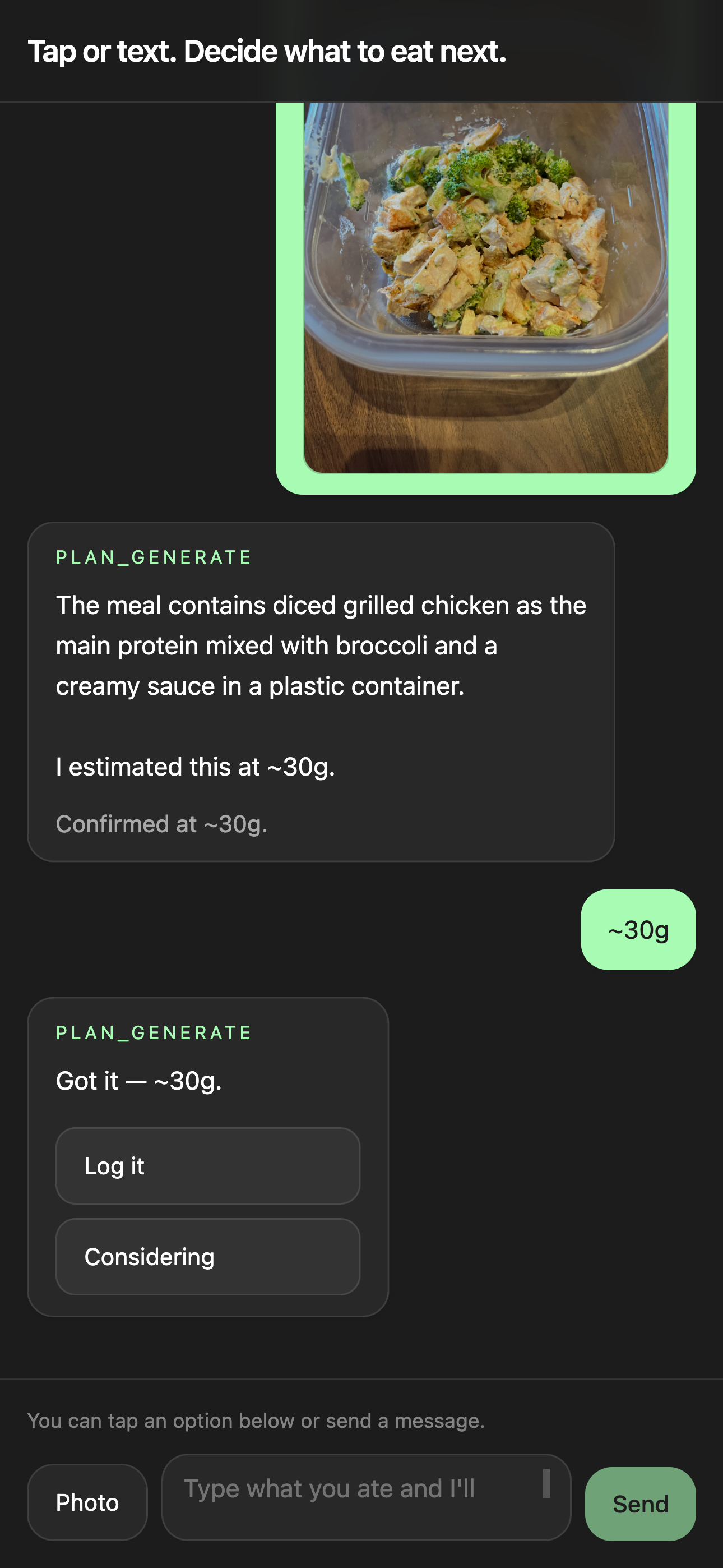
Still tracking. Just without the spreadsheet.
Trends
The longer view.
How consistent your protein has been across the week, where the patterns are, what's working and what isn't. Useful when you want it. Ignorable when you don't.
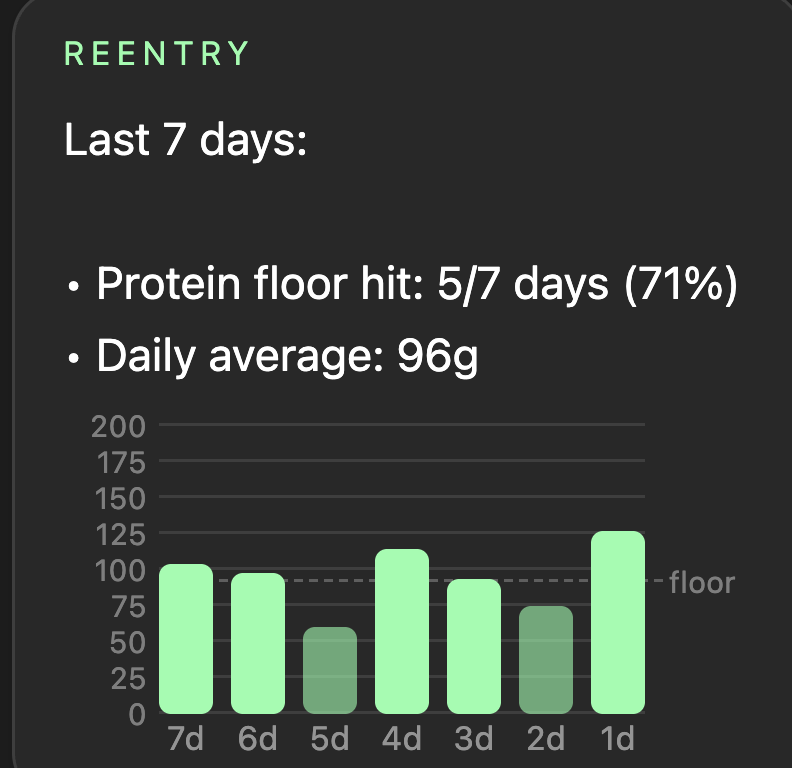
Each bar is a day's protein. The dashed line is your floor.
Sign up
Consent before anything is stored.
Signing up is one tap with Google — no password to make or remember. The same screen carries the consent step: you agree to the Terms & Conditions and Privacy Policy before anything is stored.
One bar for the day. Two icons for everything else. A floor doing the work underneath. That's the whole app.